

Exclusive Compatibility
Use this cover only with the Alumission Post 2 Channels profile.
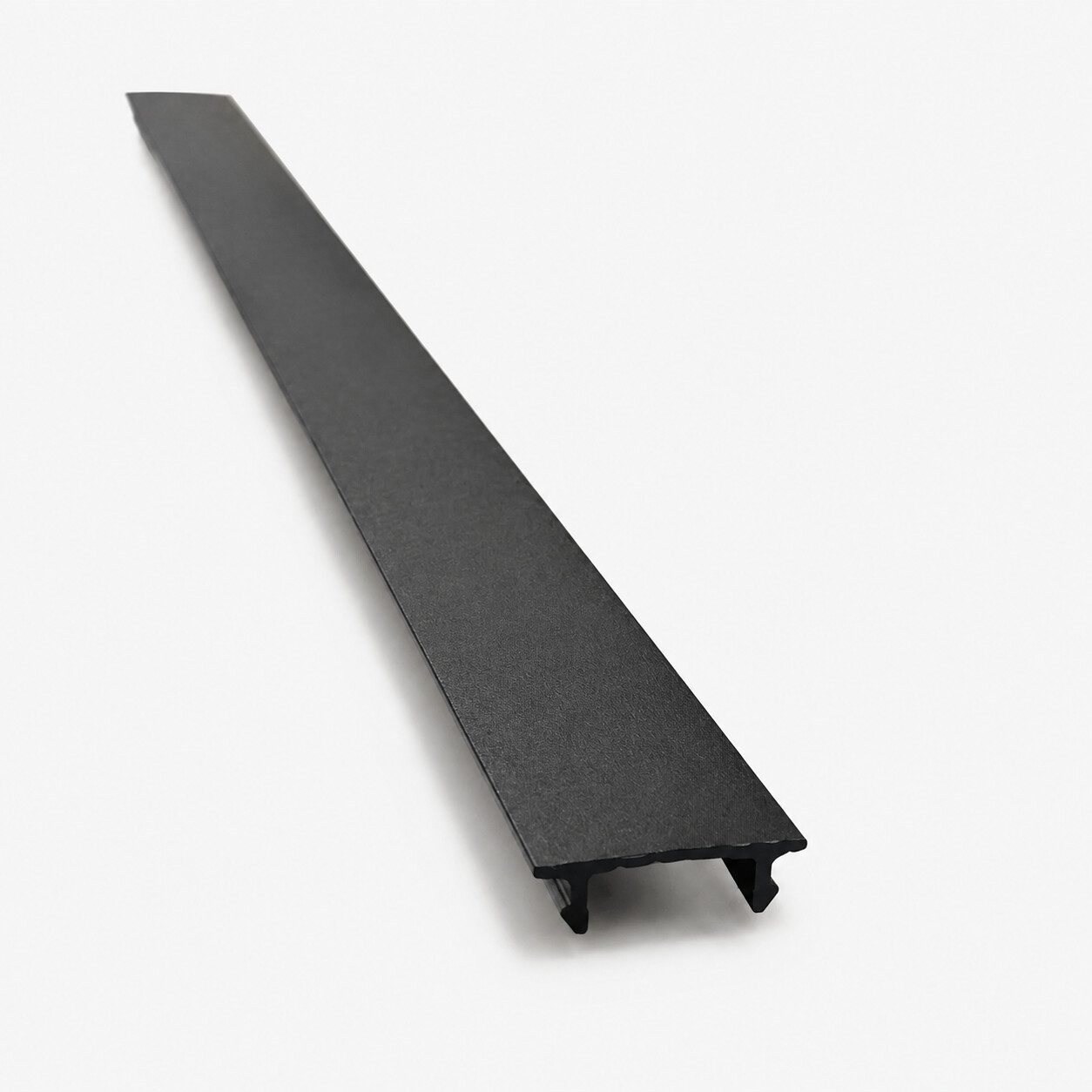


The Aluminum Snap Cover For Post 2 Channels is the dedicated finishing cover for the screw-side channels built into the Alumission Post 2 Channels profile. Install it after the slats and fasteners have been secured and checked.
This cover is designed only for the Post 2 Channels profile. It is not a universal post cover and is not intended for the Side Post, Post 3 Channel, Gate Frame, or other Alumission profiles.
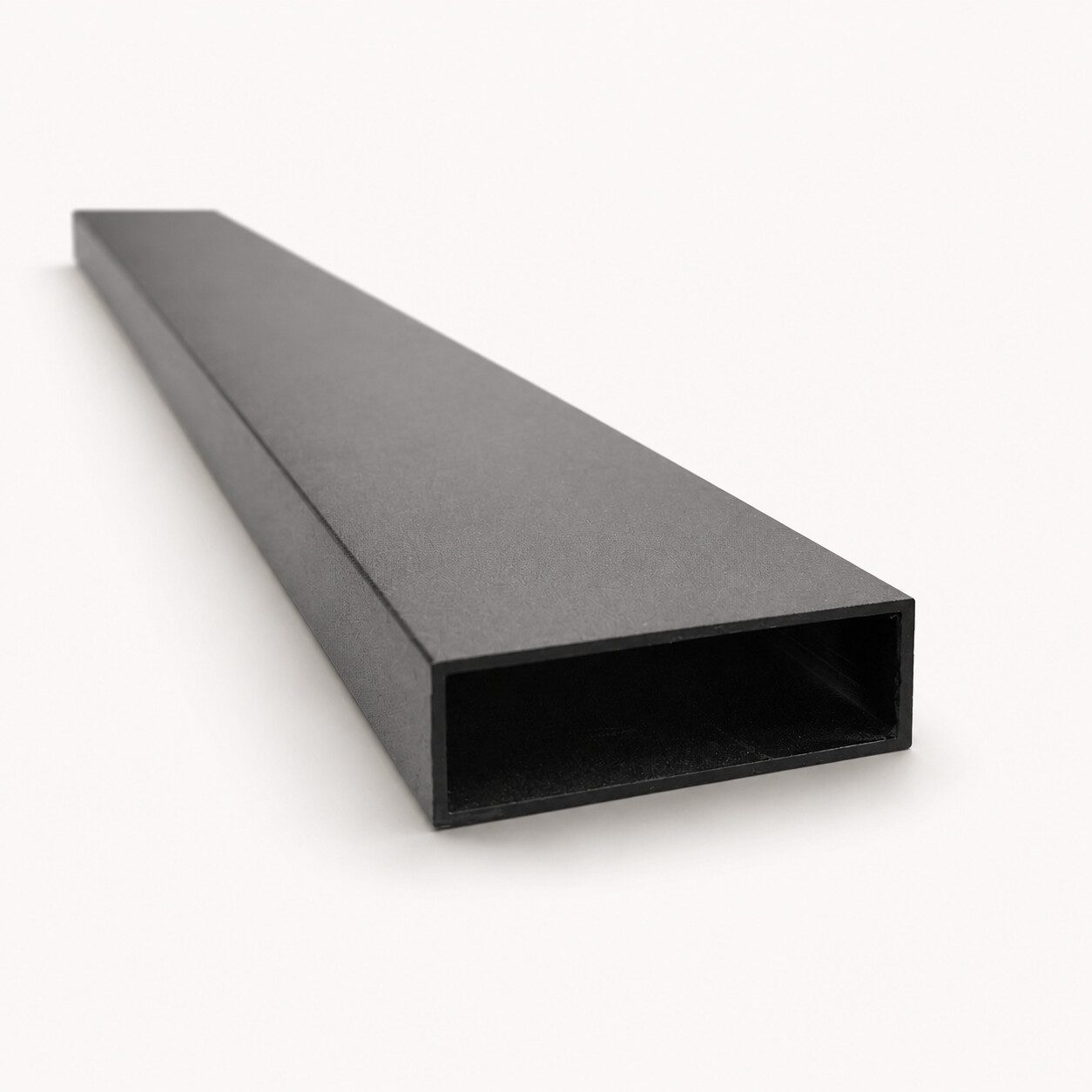
Once installed, the cover closes the screw channel, conceals the fasteners, and creates a smooth powder-coated post face. Use one cover on each exposed screw-side channel; a standard two-channel post normally uses two covers.
The profile can be installed two ways: slide it into the matching channel from an open end, or align it along the channel and snap it into place. For snap-in installation, use light, controlled taps with a clean rubber mallet to protect the finish.
The snap geometry is made specifically for the fastening channels built into the Alumission Post 2 Channels profile.
Use this cover only with the Alumission Post 2 Channels profile.
A standard Post 2 Channels profile normally uses two covers, one for each exposed screw-side channel.
Do not substitute it for the covers made for the Side Post, Post 3 Channel, or Aluminum Gate Frame.
Select the same powder-coated color as the post for a continuous finished appearance.
Choose the installation method that best fits the assembled post and available access at the post ends.
Engage the cover with the matching channel and slide it into position while the end remains accessible.
Align the formed edges with the channel and press the cover evenly into the matching interface.
For snap-in installation, use a clean rubber mallet and light, controlled taps along the cover.
Do not use a steel hammer directly on the powder-coated cover. Confirm alignment before applying force.
Complete the slat fastening first, then close the exposed channel to create the finished post face.
Install and verify the screws, slats, and post assembly before fitting the cover.
The installed cover hides the screw heads and fastening channel from normal view.
Closing the channel creates a clean, continuous powder-coated surface.
Cut and position the covers so they can be removed later if the fasteners require adjustment or service.
Included: One Aluminum Snap Cover For Post 2 Channels in the selected length and powder-coated finish.
Sold separately: Aluminum Post 2 Channels, additional snap cover for the second screw channel, slats, screws, caps, bases, reinforcement, rubber mallet, cutting tools, and installation hardware.
Phone-order lengths: 10′ and 20′ lengths are available by phone order only. They cannot be purchased online, and shipping charges may apply.
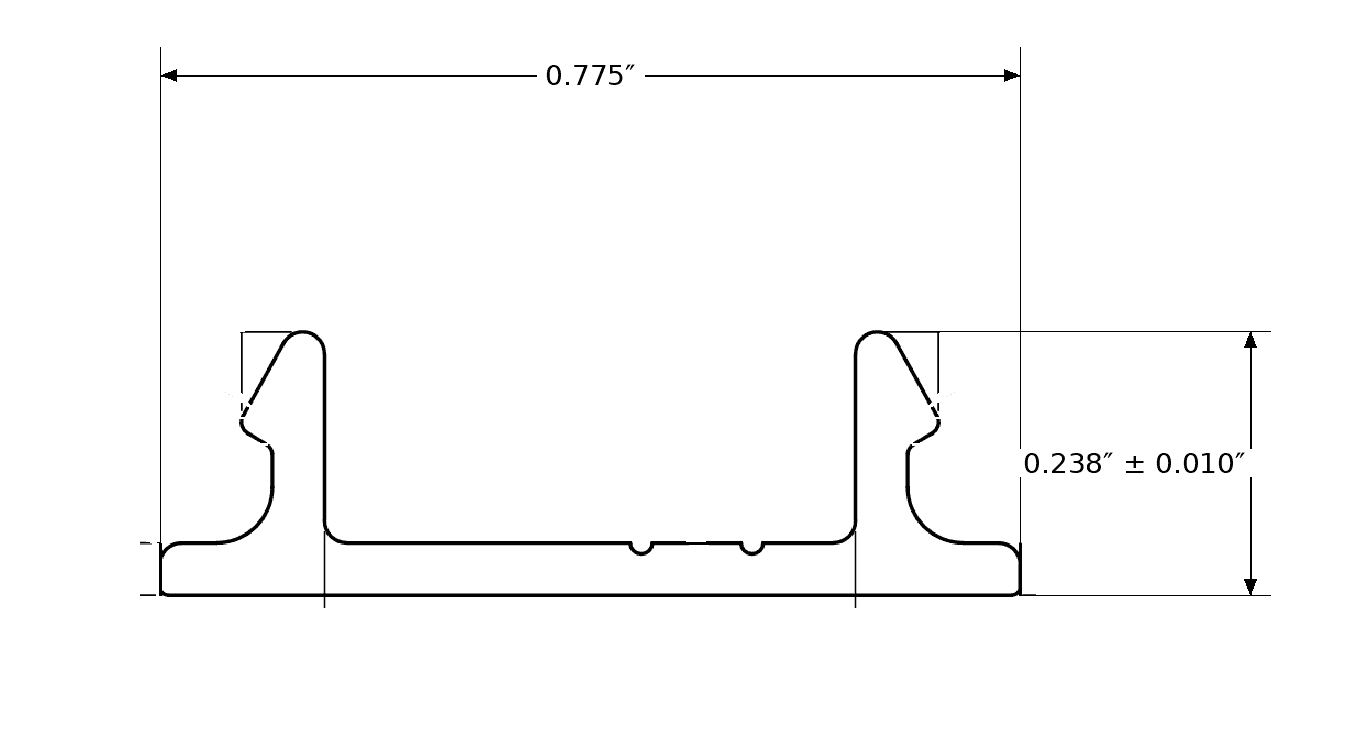
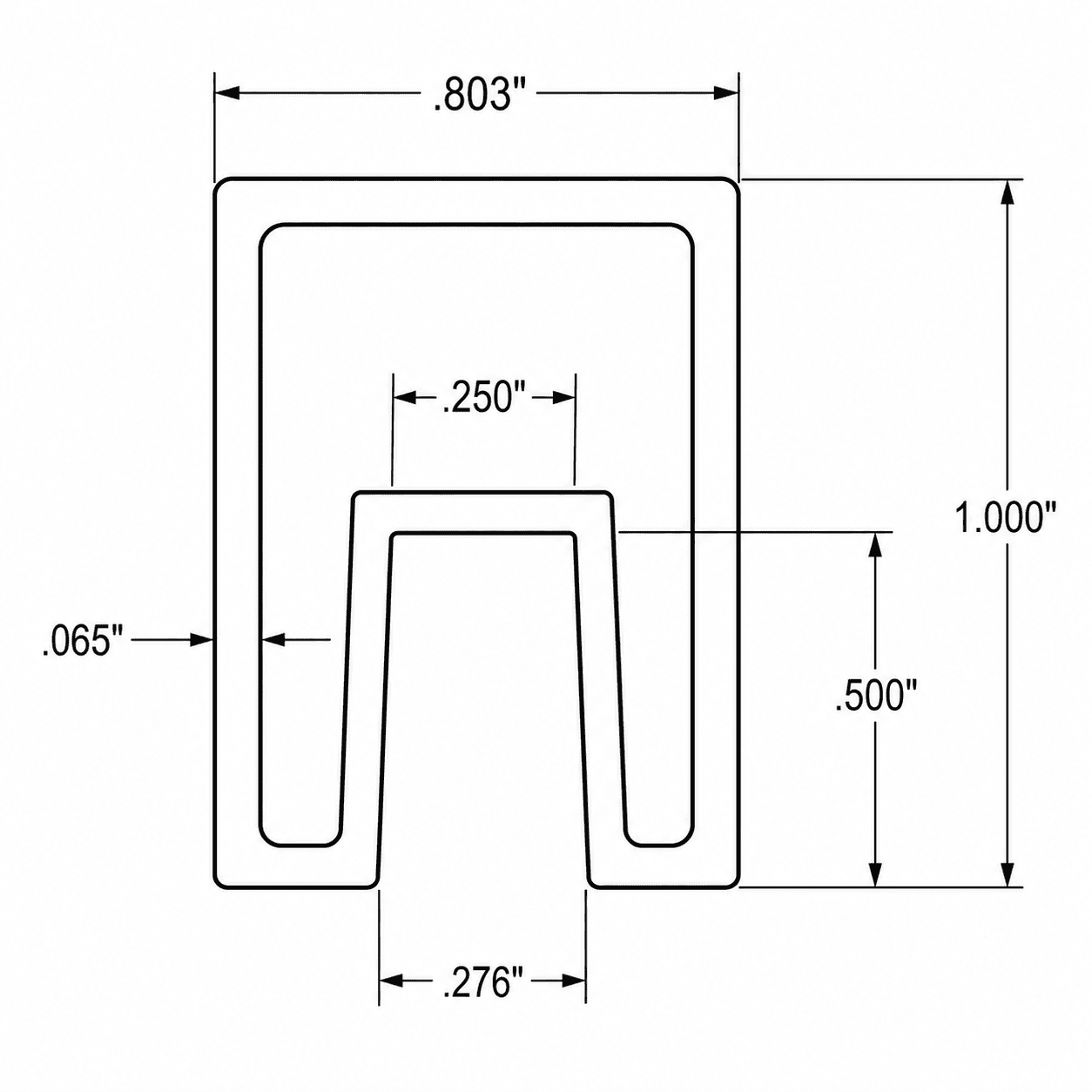
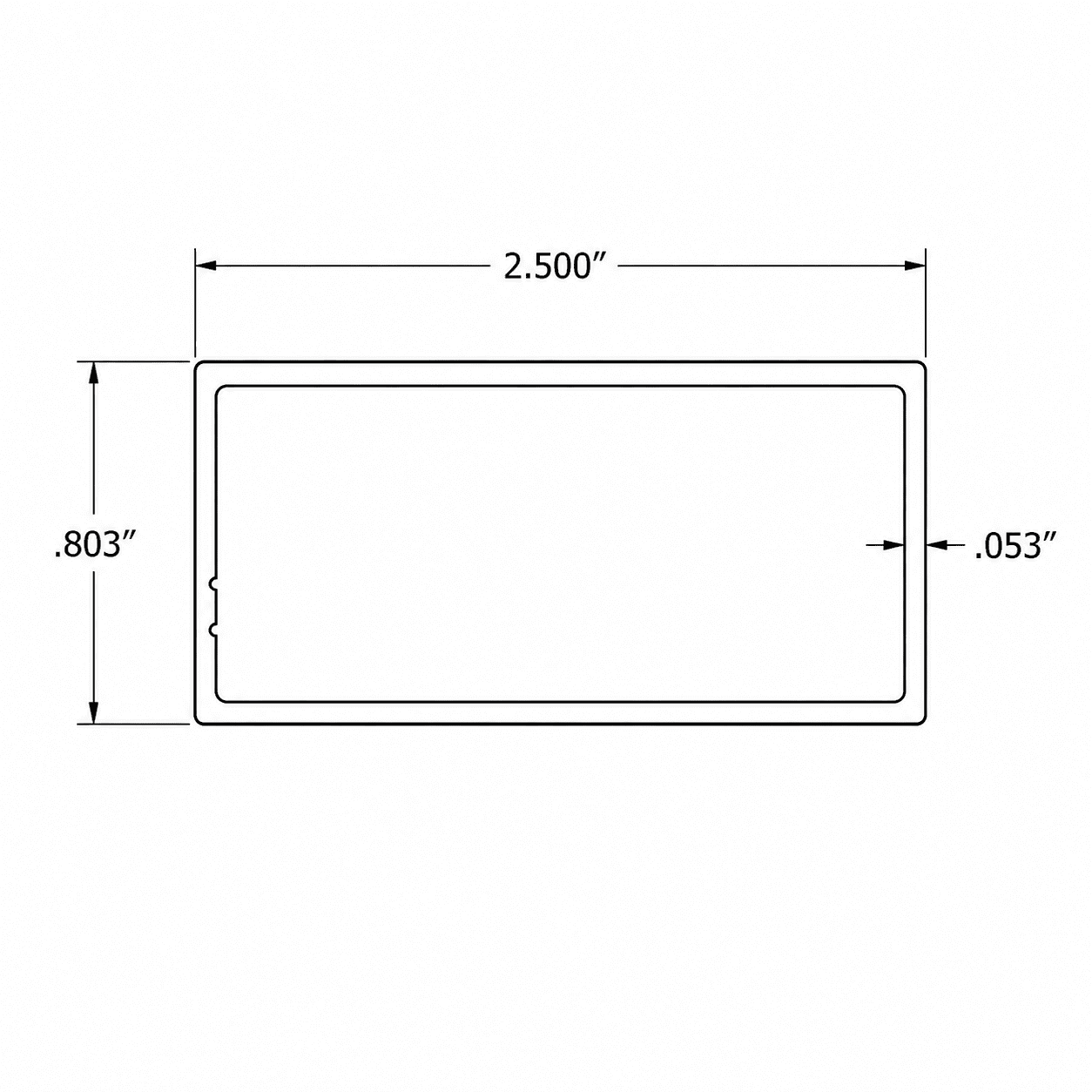
Clean cross-section drawing showing the two requested overall dimensions for the snap cover used exclusively with the Alumission Post 2 Channels profile.
Measurement note: Dimensions are nominal. Verify the cover, matching post channel, cut length, alignment, and complete assembly before fabrication or installation.
Answers about compatibility, quantity, sliding and snap-in installation, rubber-mallet use, concealed fasteners, dimensions, ordering, and care.
It closes the screw-side channel in the Alumission Post 2 Channels profile, conceals the fasteners, and creates a smooth finished post face.
It is designed only for the Alumission Post 2 Channels profile.
No. The Side Post uses its own compatible channel-cover profiles.
No. This snap cover is shaped specifically for the screw-side channel on the Post 2 Channels.
No. The Aluminum Gate Frame uses the Aluminum Slide Side Cover For Gate Frame.
The cover hides the screw heads, closes the exposed fastening channel, and gives the post a smooth, color-matched finished face.
A standard Post 2 Channels profile normally uses two covers, one for each exposed screw-side channel.
Yes. Engage it with the matching channel at an open end and slide it into the required position.
Yes. Align it with the channel and press or tap it evenly into place along the post.
Yes. Use a clean rubber mallet and light, controlled taps after confirming that the cover is properly aligned with the channel.
No. A steel hammer can dent the aluminum or damage the powder-coated finish. Use a clean rubber mallet or another finish-safe installation method.
Install it after the slats and screws are secured, the post assembly is aligned, and all fasteners have been checked.
Yes. Cut it with suitable aluminum-cutting equipment, measure carefully, and deburr the cut end before installation.
When correctly installed in the matching Post 2 Channels screw channel, it conceals the fasteners from normal view.
Yes, when the installation and cover joints are planned for access. Remove it carefully to avoid bending the profile or damaging the finish.
Yes. Select the same powder-coated finish as the post for the most consistent completed appearance.
No. Aluminum does not rust like steel.
Clean with mild soap and water using a soft cloth or sponge. Avoid abrasive pads, harsh chemicals, and strong solvents.
The snap cover is 0.775″ wide and 0.238″ high, with an overall height tolerance of ± 0.010″.
The product includes one Aluminum Snap Cover For Post 2 Channels in the selected length and finish.
No. The post, additional cover for the second channel, slats, screws, caps, bases, reinforcement, tools, and installation hardware are sold separately.
The online length options are 6′ and 8′.
Yes. The 10′ and 20′ lengths are available by phone order only. They cannot be purchased online, and shipping charges may apply.
Available finishes are Black, Bronze, White, Dark Grey, and Light Gray.

Reviews
There are no reviews yet.